West Coast synthesis. A new perspective.
Make unexpected sounds.
See every signal.
A playful modular synth for your desktop or DAW. Make melodies, rhythms and sounds you haven't imagined yet. Build a system, follow the signals, and see where it takes you.
Standalone Desktop — Mac / PC
Play on its own. No DAW required.
Choose your Mac or Windows download.
VST3 plug-ins — Mac / PC
Play inside a VST3-compatible DAW.
Preview · Installation guide →
One purchase gets you all formats. Standalone Desktop + VST3 for Mac and Windows.
This is the real instrument
Press play. Follow the sound.
Demo 1 · Ron’s Songlines library. All sounds come from WCS. Playback levels matched; no external effects.
A whole modular system.
A beautifully small commitment.
01 / Make the invisible visible
Watch your ideas
connect.
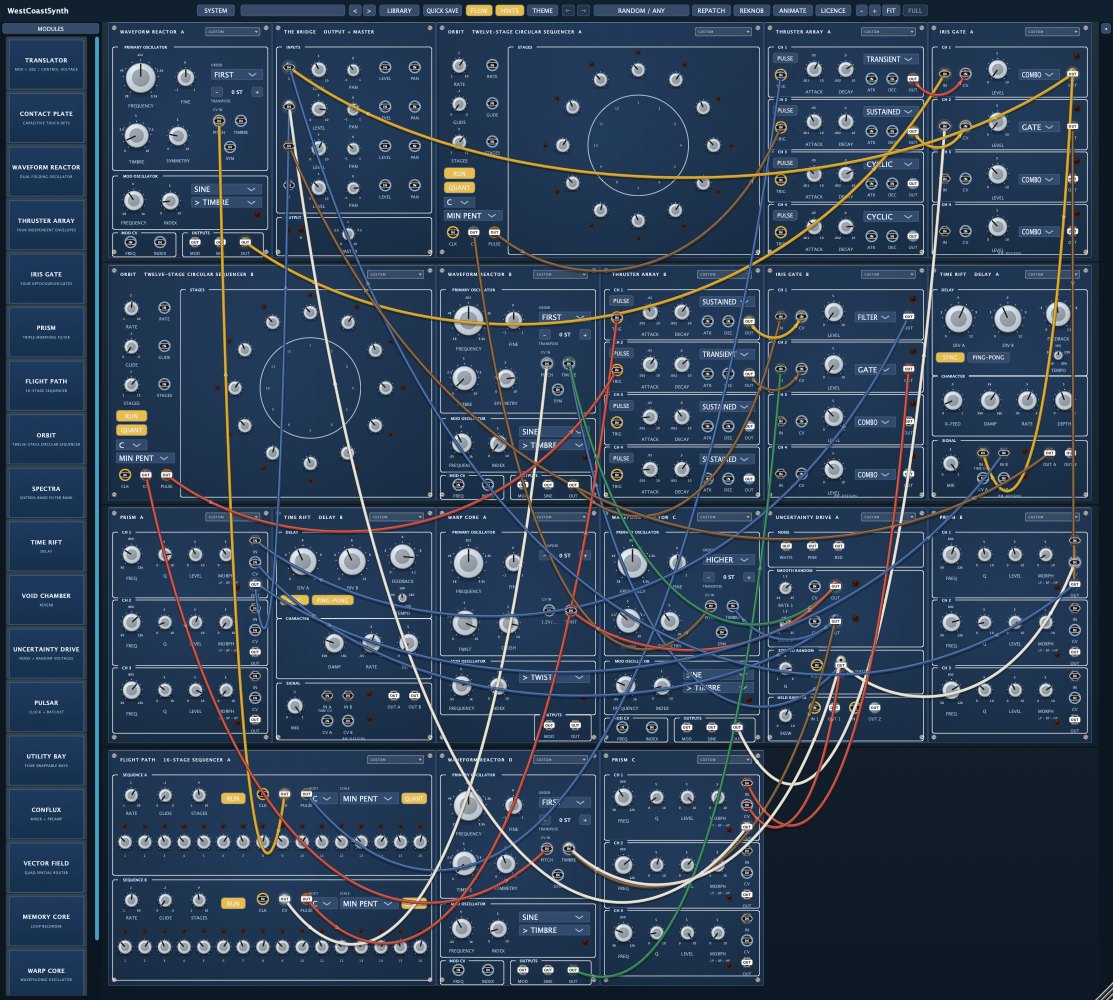
Follow a pulse. See a modulation rise. Trace the connection between a moving control and a changing sound. Simple and Detailed flow views help you explore what's happening inside your patch.
Watch the signals in action ↗02 / Let curiosity take the lead
One click.
A new possibility.
RANDOM builds a fresh system. REPATCH gives its cables a new direction. REKNOB explores the settings. Choose melodic, rhythmic, both, or anything—and keep the discoveries you love.
Undo makes experimenting easy.
Hear every Random mode →03 / Give your patch a life of its own
A sound that
keeps becoming.
ANIMATE gently moves controls while you listen. The Flight Computer can glide between preset settings. Set something in motion, then discover where it goes.
Your instrument, your way
Start small. Go somewhere big.
Rack up to 24 panel spaces. Stack cables. Mix oscillators, sequencers, effects and modulation. Choose from 17 panel finishes and a separate cable palette.
Your next unexpected sound starts here
Standalone Desktop — Mac / PC
Choose your Mac or Windows download.
Play on Mac or Windows. No DAW required. Seven days free. Every module. No account or card.
Desktop v0.2.3 · macOS 11+ (Apple silicon + Intel) · Windows 10/11, 64-bit
VST3 plug-ins — Mac / PC
Bring the same instrument into your DAW. Mac and Windows plug-ins are included in your desktop licence.
VST3 preview v0.2.3 · Automated plug-in checks passed. Individual DAWs and devices are still being checked.
VST3 installation & activation guide →
Your download should start shortly. Open your first-five-minutes guide →
A few useful answers
Before you dive in.
Do I need to know modular synthesis?
No. Start with a factory patch or use Random to build a playable system. Explore one knob or cable at a time; Undo lets you step back.
Does it work inside my DAW?
Download the Mac or Windows VST3 preview for a VST3-compatible DAW, including Ableton Live. One desktop licence covers the plug-in and standalone app. The standalone app also works without a DAW. Logic Pro requires Audio Units and cannot load this VST3.
What happens after seven days?
Audio stops until you activate a licence or your one-time extension. Your patches stay intact. Get seven more days by verifying your email and providing the Machine ID from the LICENCE panel. This does not subscribe you to marketing emails.
How do I activate my purchase?
After Stripe checkout, paste your Machine ID from the app's LICENCE panel into the key page. Your key is shown and emailed to you. Paste it back into LICENCE. Activation guide →
Can I use it on iPhone or iPad?
The Touch edition is in testing and isn't available for public purchase yet. The direct desktop licence covers Mac and Windows; the Apple edition is a separate purchase. See the Touch development preview →
Made by a musician who missed his modular
“The best sessions were the ones where the instrument had ideas of its own.”
I fell in love with West Coast modular systems, then missed mine after selling the hardware. I built WestCoastSynth to bring back that sense of discovery—with instant new patches, visible signals, and the freedom to save every good accident.
Ron Millar · Creator, WestCoastSynth
Explore sounds from my own patch library →